Setting Up Apple Health Sync in Zealo
6 min read · May 2025 · by Manikanta Sirumalla
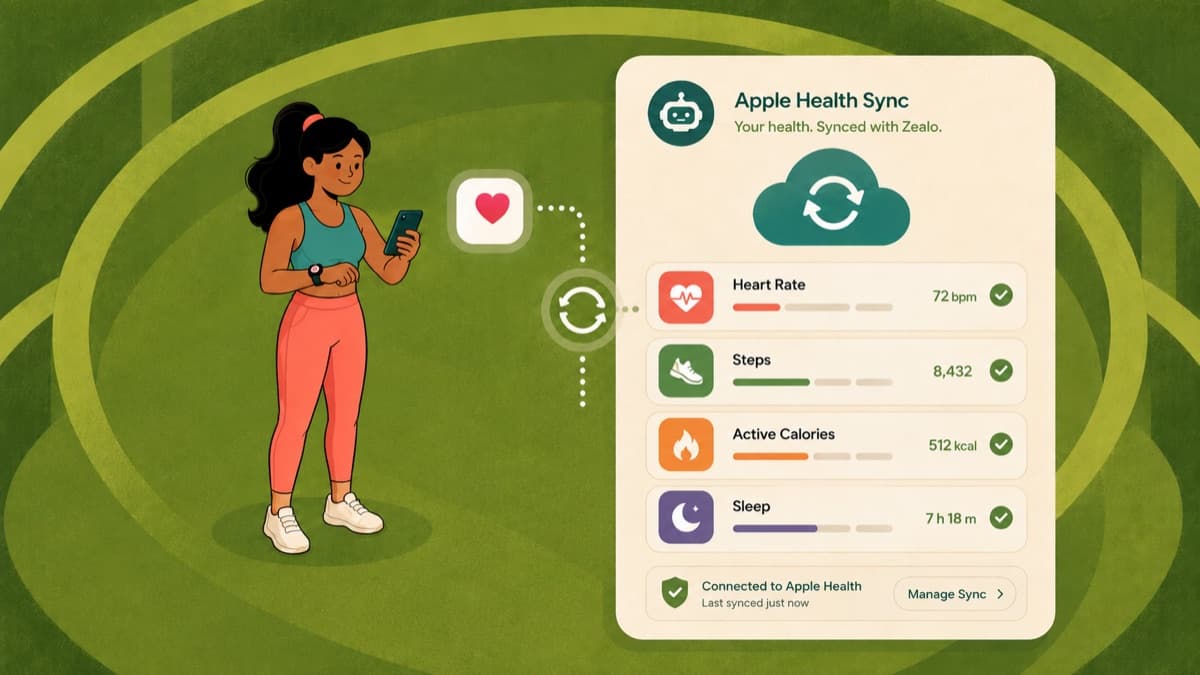
Apple Health is the system-level store for health and fitness data on iOS. It collects readings from your Apple Watch, other apps, connected devices, and manual entries. Zealo connects to it through HealthKit so that data you are already collecting elsewhere does not have to be typed in again.
The current App Store build reads data from HealthKit. Where this guide describes anything beyond reading, it is marked.
What Zealo Reads
| Data type | Typical source | What it is used for |
|---|---|---|
| Steps | iPhone, Apple Watch | Context for your activity level |
| Active energy | Apple Watch, other fitness apps | Cross-reference for expenditure estimates |
| Heart rate | Apple Watch, chest straps | Context alongside your logged sessions |
| Body weight | Smart scales, manual entries | Keeps profile-driven calculations current |
| Body fat percentage | Smart scales, manual entries | Body composition tracking |
| Height | Manual entry | Input for body composition calculations |
Two things this integration does not do, both of which have been claimed in older versions of this page:
- It does not feed an AI recommendation engine. There is no coaching layer in the current build that consumes your Health data and returns personalised recommendations, so nothing here "enhances AI recommendations."
- It does not power cycle-adaptive training. Cycle tracking is not in the current build at all, which the cycle tracking status page explains.
Writing data back to Apple Health (for example, publishing completed workouts so they appear in your Health workout history and Activity rings) is a HealthKit write permission and is not confirmed in the current build. If you do not see your Zealo sessions in the Health app, that is the likely reason rather than a misconfiguration on your end.
Granting Permissions
- Open Zealo and go to Settings
- Find the Apple Health section
- Tap to connect
- iOS presents the standard HealthKit permission sheet
The sheet lists each data type separately, so you can approve or deny them individually. Enable only what you are comfortable sharing. The app works with whatever subset you allow, and denying a data type simply means the app does not see it.
Verifying the Connection
Return to Zealo's Settings after granting permissions and check the Apple Health section reports a connected state. If it does not update immediately, close the app fully and reopen it. HealthKit authorisation sometimes takes a moment to register.
What the Data Is Actually Good For
Activity context. Step and active energy data give you a reality check on the activity level you selected in your profile. If you set yourself as moderately active but your step data says otherwise, your expenditure estimate is probably too high. The TDEE guide covers why that multiplier is the largest source of error in a calorie estimate.
Heart rate alongside your log. If you wear a watch during training, heart rate gives you a second view on sessions you rated by feel. It is context, not a verdict: heart rate during resistance training is a noisy signal.
Body composition without retyping. A smart scale that writes to Apple Health keeps weight and body fat readings current, which keeps anything calculated from them current too.
Troubleshooting
Health Data Not Appearing in Zealo
- Check permissions. iOS Settings, then Privacy and Security, then Health, then Zealo. Confirm read access for the data types you expect.
- Check the data exists. Open the Health app and confirm the readings are actually there. If your scale did not sync to Health, there is nothing for Zealo to read.
- Relaunch. HealthKit data is queried on launch, so a full close and reopen often resolves stale views.
- Check the date range. Recent data is what surfaces; readings from months ago may not appear in a current view.
Duplicate Readings
If the same measurement appears twice, more than one app is likely writing the same data type. Apple Health has a data sources and access list for each type where you can set which source takes precedence.
Privacy
HealthKit data is governed by Apple's framework rather than by us, which is a meaningful protection.
- Data read through HealthKit stays on device.
- You control every permission individually, and you can revoke any of them at any time.
- Revoking access stops future reads. It does not retroactively remove data already incorporated into your profile.
- Health data read by the app is not shared with third parties, advertisers, or analytics services.
Keep Reading
- Logging workouts: what the app records on its own
- PDF reports: getting your training data out
- How to calculate your TDEE: where the activity multiplier fits in
Frequently asked questions
How do I connect Apple Health to Zealo?
Open Zealo, go to Settings, find the Apple Health section and tap to connect. iOS shows the standard HealthKit permission sheet listing each data type separately; approve the ones you want to share. You can change any of them later in iOS Settings under Privacy and Security, then Health.
Why is my Apple Health data not showing in Zealo?
Usually a permission that was declined, a reading that does not exist in the Health app, or a stale view. Check Zealo's permissions in iOS Settings, confirm the data is present in Health, then fully close and reopen Zealo, which queries HealthKit on launch.
Does Zealo write my workouts to Apple Health?
Writing sessions back to Apple Health is a separate HealthKit permission and is not confirmed in the current App Store build. If your Zealo sessions do not appear in the Health app, that is the likely reason rather than a misconfiguration.
What is Apple Health data used for in the app?
Context. Steps and active energy give a reality check on the activity level you chose in your profile; heart rate sits alongside sessions you rated by feel; weight and body fat from a smart scale keep profile-driven calculations current. There is no coaching layer consuming it.
Is my health data shared?
Data read through HealthKit stays on the device and is governed by Apple's framework. It is not shared with third parties, advertisers or analytics services, and you can revoke any permission at any time.